Essentials of a standard Queue Management System
Queuing System Components
Queue management system is an electronic system to manage waiting customers in crowded places such as government departments, banks, showrooms, service centers, schools and other similar places. We specialize in providing latest standards and technologies pertaining to electronic queuing system. Our system of waiting numbers has more than a thousand MENA deployments. Below you can go through the list of devices and hardware of RSI Concepts Queue Management System.
Kiosk with Touch Screens
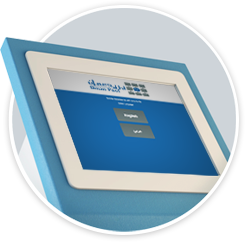
Our QMS solution comprises a very smartly designed kiosk with touch screen and thermal printer is used as a queue management system. The client has a wide range of designs of the kiosk to choose from on the basis of their organization needs and culture. The services being offered by the organization (The lists of services are manageable from the control panel) are shown on the touch screen and the user can choose any service (the services are shown in English and Arabic) and their ticket which displays the following:

Thermal Printing

Barcode

RFID / IC

Surge Protection

Secure
- Organization Name
- Date - Time
- Token Number
- Service Selected
- Average waiting time for selected service
- Customised message (e.g. special offers) at the bottom of the ticket
Server Software

RSI Queue Management System has strong server software, a web terminals for agent, built on PHP / MYSQL web technology makes it very easy to implement and maintain. The Following are the primary modules of the Server Software which makes it powerful to serve the needs and requirements of an environment that receives a large amount of customers flowing in on regular basis.
- User Authentication and Authorization
- Branches Management
- Departments Management
- Counters Management
- Services Management
- Queue Management
- Sound Utility
- Reporting Engine
Web Terminals for Agent
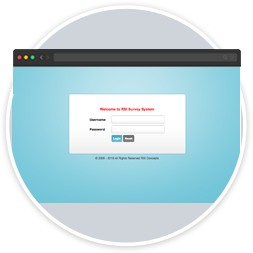
Web terminals for agent is nothing, but the browser based call from the agent’s computer to the server software installed on the server. As it is browser based, this means that there is no hardware or software required on the agents end. The computers already being used by the agents can serve the purpose. Every agent uses its username and password to get access to the system and after the login the interface and the functionality is adjusted on the basis of their permissions. Our web developers are very much conserned to accelerate the process.
The following are the major functionalities provided to the agents through web terminals:
- Agents Login
- Agents Profile Management
- Change Password
- Counter and Services Selection
- Session Management
- Managing Customer Flow
Display Units

There should be proper display mechanisms at the servicing premises to ensure that each and every customer present anywhere can be intimated about their turn. RSI Queue Management System is bundled with LCD and LED screens which enable a clear display of the different counters active in the organization and the tickets being served by each counter. The quantity and sizes of the LCD screens are advised on the basis of area of the office, usually 40 inches and above screens are used in size. Our digital signage and video wall team make it sure that the LCD and LED screens are installed at locations where easily viewable by all in the customer waiting area.
Sound Announcement Utility
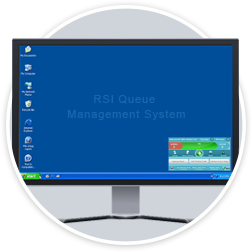
RSI QMS Sound Announcement Utility is a software that keeps running on the server and its job is to sense if any of the agents has called a new customer. As soon as a new customer is called, the utility triggers the sound announcement informing about the ticket number being called and which counter it should go. Typical soft calling agents announce the ticket and counter number, Usually its announcement e.g. will be “Ticket number 1 go to counter number 4”. As we are providing queue management systems for Dubai, Abu Dhabi, Sharjah and Northern UAE so our system currently supports announcements in English and Arabic, but it can be customized to support any language on request. You can download our QMS Brochure here.
Counter Plates
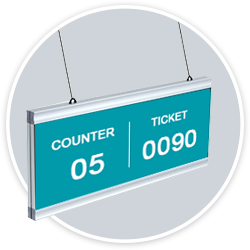
Each counter should has identification plates or signage indicating clearly to the customer where they need to go. Our queue management system offers counter plates made of different materials with a custom built artwork specially designed according to the theme required by the client. Client is free to provide their own artwork as well.
Cabling and Installation
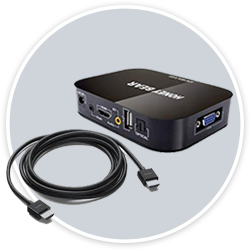
RSI Concepts has qualified engineers who are experts in designing the most effective and practical topologies to ensure the most optimal cabling scenarios after assessing the current premises in terms of area and network model.
User Training
RSI Concepts provides complete installation and free user training to the end users after the system has been installed successfully in the live environment.